Replace meeting sprawl with a team rhythm that decides things
The Team Meeting Operating System is the manager's full kit for designing and running a team's meetings: audit what you have, keep the few that earn their hours, and run them so decisions and actions survive past the door.
- A 10-chapter e-book that teaches the whole method: audit, rhythm, agendas, roles, facilitation, decisions, follow-through, measurement and a 30-day rollout
- A 14-sheet Meeting System Workbook with settings, meeting inventory and annual cost, rhythm designer, agenda builder, action tracker, decision log, quality scorecard and three dashboards, plus a Meeting Cost Calculator
- Five fillable PDF forms and six Word files: agendas for 15 meeting types, a 66-line facilitation phrase book, 32 ready messages, three ready-to-send documents, a team agreement, a worked example and 28 AI prompts
- A Start Here map, four printable cheat sheets, a 26-event calendar file for the rollout and a 28-row import file for Trello, Asana, Notion, Planner or Jira
The Team Meeting Operating System · Bodhih Pro Kits · 73 by Bodhih Training, trainers to 2,000+ companies since 2008.
How do I run team meetings that actually decide things?
Give each kind of conversation its own meeting: a short daily huddle, a weekly tactical, a monthly review and a quarterly planning session. Write every agenda as timed questions, name how each decision is made, and keep one action tracker and one decision log. The Team Meeting Operating System kit from Bodhih Training supplies the method and every template.
Want the full free guide first? Read How to Run Effective Team Meetings That Decide Things.
You already feel the problem. Here is what it is costing you.
The calendar nobody designed
Every recurring meeting was added for a sensible reason and none was ever removed. You suspect the team spends a day a week in meetings, and you have no number to prove it or to argue for change.
Good discussion, no decision
The same topic comes back week after week. People leave unsure whether anything was decided, who decided it, or whether it was only talked about.
Actions that evaporate
Someone says they'll look into it. A week later nothing has moved, nobody did anything wrong, and the meeting has to happen again.
Three voices and six spectators
The fastest talkers fill the hour while the people closest to the work stay quiet. You are deciding with a fraction of what the room knows.
One meeting doing five jobs
Daily niggles, monthly numbers and big strategic questions all compete for the same Monday slot, so the urgent small things crowd out the important large ones.
Picture the next few weeks with the kit open beside you.
Picture a Tuesday, a month from now. At 10:30 the weekly tactical starts on time, and someone other than you is in the chair. The purpose is read aloud in one sentence. Two overdue actions get a new date in under a minute, and the room goes quiet for five minutes while everyone reads the same two pages.
As you open the Meeting Inventory sheet in your first hour with the kit, you may notice how quickly a vague unease turns into a number: hours a year, cost a year, share of your team's time. When you show that number to your manager, the conversation moves from opinion to arithmetic, and a four-week trial is a small thing to ask for.
Imagine the moment in that Tuesday meeting when the chair says, before the main item, how it will be decided. People speak once, the quietest colleague goes first, you go last. The scribe reads the decision back, types it into the log, and the action goes into the tracker with one name and one date. The follow-up lands in everyone's inbox before lunch.
And imagine Wednesday morning, clear of meetings for the whole team, with the report you owe your director finally getting an uninterrupted hour. That is the ordinary week this kit is designed to help you build, one file at a time.
21 files that do the work for you
The e-book shows you how. The tools make it happen. Here is exactly what you download.
The Team Meeting Operating System (e-book, PDF)
The guide: methods, worked examples, scripts and exercises
Start here: the meeting system map
Two-page map of the whole job: seven steps, which file to open at each one, your first hour and a 30/60/90-day plan.
Meeting System Workbook
Fourteen-sheet workbook: settings, team list, meeting inventory audit with annual cost and verdicts, rhythm designer, before-and-after view, agenda builder, attendance and roles rota, decision log, action tracker, parking lot, quality scorecard and three dashboards.
Meeting Cost Calculator
Small what-if calculator: price one meeting, compare up to twelve versions of it side by side, and cost a meeting with mixed hourly rates.
Weekly team meeting agenda and notes
Two-page fillable sheet for the weekly tactical: purpose, roles, timed question agenda, decisions, actions, parked items and the five-question score.
Monthly review pack
Three-page fillable pack for the 90-minute monthly review: numbers against goals, wins and lessons, one or two deep-dive topics, health of the meeting system and next month's focus.
Quarterly planning workshop sheets
Four fillable sheets for a half-day planning session: look back, choose three to five priorities with owners and measures, a stop-doing list, risks and the next quarter's meeting calendar.
Retrospective sheet
Two-page fillable sheet for a 30 to 45-minute retrospective on a project, an incident, a quarter or the meeting rhythm itself: keep, change, try, with no more than two experiments.
Decision record
Two-page fillable record for bigger or hard-to-reverse decisions: the question, options, method, who was consulted, the reasons, objections and the review date.
Agenda library: 15 meeting types with timed agendas
Editable timed agendas for 15 meeting types, each with a purpose sentence, attendee guidance and items written as questions.
Facilitation phrase book: 66 lines for the chair
66 exact lines for ten situations: opening, staying on the question, quiet and dominant voices, conflict, deciding, hybrid calls, time and closing.
Team meeting agreement
A one-page agreement the team edits and adopts: the meetings we hold, twelve ground rules, roles, how we decide and how we follow up.
Meeting message library and ready-to-send documents
32 short messages (invitations, agenda notes, declines, follow-ups, action chasers, cancellations) plus three ready-to-send documents: manager briefing note, team launch memo and stakeholder note.
Worked example pack: Priya's team, start to finish
The main forms and sheets completely filled in for one illustrative composite team, so you can see what good looks like before filling in your own.
AI prompt pack: 28 prompts for the meeting system
28 tool-agnostic prompts grouped by the seven steps of the job, each with what to paste in and what to check before you use the output.
Meeting or message? decision card
Decision card: three questions and an if-this-do-that table for fifteen common situations.
Chair's one-page guide
One page for whoever chairs next: the day before, opening, each item, the close and hard moments.
Five decision methods and when to use them
Quick reference: the five methods compared, two questions for choosing between them and the consent round step by step.
Meeting killers and fixes
Mistakes-to-avoid card: sixteen common meeting faults, how to spot each and the fix, with the file to open.
Team meeting rhythm: 30-day rollout and recurring rhythm
26 calendar events: the 30-day rollout step by step, then the first weekly, monthly and quarterly rhythm dates, a day-60 check and next year's audit.
Action tracker and rollout tasks import file
28 rows ready to import into Trello, Asana, Notion, Microsoft Planner or Jira: 26 rollout and rhythm tasks in five lists, plus two example team actions showing the action format.
Chapter by chapter
Each chapter opens with a real situation, gives you a method and ends with something to do today, using the tools in your kit.
- Format
- PDF e-book + 2 XLSX + 5 fillable PDF forms + 6 DOCX + 5 PDF reference sheets + ICS + CSV
- Files
- 21 files plus a one-click ZIP
- E-book
- 62 pages
- Works with
- Excel, Google Sheets, Word, Google Docs, any PDF reader, Google Calendar, Outlook, Apple Calendar, Trello, Asana, Notion, Microsoft Planner, Jira
- Best for
- Managers and team leads with 3 to 15 people, in any industry or country
- Currency
- Any: amounts carry no symbol and the hourly cost is your own setting
- Time to first result
- About one hour for the meeting audit
Fewer Meetings, More Decisions
Why a team's calendar is a system the manager can redesign, and how the kit works.
Count the Cost Before You Change Anything
Count times per year, minutes and attendees, turn them into hours and money, and give every meeting a verdict.
The Few Meetings a Team Needs
The daily huddle, weekly tactical, monthly review and quarterly session, plus three meetings you call only on demand.
Purpose, Agenda, Owner
The PAO test: a purpose sentence, an agenda of timed questions, one owner, pre-reads and the silent start.
Roles and the First Five Minutes
Chair, scribe and timekeeper on a rota, and the opening and closing moves that hold a meeting together.
Getting Every Voice Into the Room
Formats that bring in quiet people, handle dominant voices and keep remote colleagues level with the room.
Meetings That Decide
Five decision methods, two questions for choosing one, the consent round and a decision log.
Follow-Through, or Where Meetings Go to Die
Actions with one owner and a real date, a single tracker reviewed by exception, and one-screen minutes.
Meeting or Message?
A three-question test, written formats that replace meetings, meeting-free blocks, and cancelling well.
Measure It, or It Drifts
The five-question quality score, how to read it, and a quarterly retrospective on your meetings.
Roll Out the New Rhythm in 30 Days
A four-week plan: audit and listen, design together, launch cleanly, then run, score and adjust.
The Calendar You Would Design on Purpose
What the finished rhythm looks like and how to keep it maintained.
Your Kit, File by File
Every file in the kit matched to the step of the job where you use it.
Sources and Credits
The research and named ideas behind the book.
Not just reading. Tools you will actually open again.
E-book
- The Team Meeting Operating System: introduction, 10 chapters, conclusion and two appendices (PDF)
Start here
- 00 Start Here Meeting System Map: the job in seven steps, the file for each step, your first hour and a 30/60/90-day plan
Spreadsheets
- Meeting System Workbook (14 sheets): Start here, Settings, Team, Meeting Inventory, Rhythm Designer, Before and After, Agenda Builder, Attendance and Prep, Decision Log, Action Tracker, Parking Lot, Quality Scorecard, Quality View and Dashboard
- Meeting Cost Calculator: price one meeting, compare up to twelve versions and cost a meeting with mixed hourly rates
Fillable PDF forms
- Weekly team meeting agenda and notes
- Monthly review pack
- Quarterly planning workshop sheets
- Retrospective sheet
- Decision record
Word templates
- Agenda library: 15 meeting types with timed agendas
- Facilitation phrase book: 66 lines for the chair
- Team meeting agreement: one page, twelve ground rules to edit and adopt
- Meeting message library: 32 messages plus three ready-to-send documents (manager briefing note, team launch memo, stakeholder note)
- Worked example pack: the main forms filled in for one illustrative team
- AI prompt pack: 28 prompts in seven steps, each with what to paste in and what to check
Cheat sheets
- Meeting or message? decision card (15 situations)
- Chair's one-page guide
- Five decision methods and when to use them
- Meeting killers and fixes (16 mistakes to avoid)
Calendar and import
- 30-day rollout and recurring rhythm calendar (ICS, 26 events)
- Action tracker and rollout tasks import file (CSV, 28 rows) for Trello, Asana, Notion, Microsoft Planner or Jira
When you have worked through it, you will be able to…
Every outcome is practised with a worked example and a tool, not just described.
- Audit every recurring meeting and put a figure on its annual hours and cost
- Design a daily, weekly, monthly and quarterly rhythm that fits the kind of work your team does
- Write agendas as timed questions and open meetings with a purpose, roles and a silent read
- Share the chair, scribe and timekeeper roles and bring quieter colleagues into the discussion
- Choose between five decision methods and record each decision with an owner and a review date
- Keep one action tracker, review it by exception and send a one-screen follow-up within two hours
- Decide what needs a meeting and what can be written, and protect meeting-free blocks
- Score meeting quality on five questions and roll the whole system out in 30 days
Know your starting point. Prove your progress.
People who measure before and after improve faster and can show it. AssessAll, our sister assessment platform, has AI-graded assessments that pair with this kit. Take one now, work through the kit, then re-take it.
Meetings That Decide Things
Take the assessment →AssessAll assessmentTraining Facilitation and Group Handling Assessment for Trainers and Facilitators
Take the assessment →AssessAll assessmentTime, Priorities & Focus
Take the assessment →JobularyIf-then plans that make habits stick (Jobulary)
Make it a growth plan →A taste of Chapter 6
Maria manages a customer service team of ten in Manila. For five weeks running, her team discussed whether to move the evening shift start from 2 p.m. to 3 p.m. Every week there was a lively conversation. Every week it ended with "good discussion, let's keep thinking". In week six, someone asked whether it had been decided. Three people said yes. Two said no. Maria wasn't sure herself. A discussion that doesn't end in a decision, or in a clear statement of who will decide and when, has to be held again. Most teams don't lack opinions or even agreement. They lack a moment where someone says: this is decided, here is what we decided, and here is who decided it.
The honest comparison
| Free templates and typical advice | This kit | |
|---|---|---|
| Method | A blank agenda template with no guidance on which meetings to hold | A complete rhythm: four calendar meetings, three on demand, with purpose, agenda and owner for each |
| Cost of meetings | A guess | An inventory that calculates annual hours, cost and share of team time, in any currency |
| Decisions | Minutes that record who said what | Five named methods, a decision log with review dates and a decision record for the big ones |
| Follow-through | Actions scattered across notes and chat | One tracker with days-late and moved-twice flags, plus an import file for your task tool |
| Words to say | General advice to 'encourage participation' | 66 chair's lines, 32 messages and three ready-to-send documents |
| Rollout | Left to you | A 30-day plan in your calendar, a launch memo and a worked example of the whole thing |
Made for you if…
- First-time and early-career managers who inherited a calendar nobody designed
- Team leads and supervisors in operations, support, retail, healthcare and public sector teams who need short, reliable huddles and handovers
- Project and delivery leads in IT services and global capability centres juggling stand-ups, syncs and client calls
- Founders with a team of three to fifteen who want a simple weekly, monthly and quarterly rhythm
- Experienced managers whose meetings have drifted and who want numbers to make the case for change
- HR and L&D partners looking for a practical meeting standard that managers can adopt team by team
Probably not for you if…
- People looking for a guide to formal board, committee or statutory meeting procedure
- Teams wanting a full manual on hybrid and distributed working: that is our Work Across Boundaries kit
- Anyone hoping for meeting software: this is a method with files that work in the tools you already have
Built by trainers, tested in real rooms.
Bodhih Training has designed and delivered corporate programmes since 2008. Bodhih Pro Kits package what works in those workshops into a guide plus the exact tools we use, so you can apply it the same day without a facilitator in the room.
From here to using it in three steps
- STEP 1
Tap Get the kit
Name, email and country. UPI, card or netbanking in India; international cards everywhere else. No account to create.
- STEP 2
Download instantly
Your download page opens at once, with every file and a one-click ZIP. A permanent link lands in your inbox too.
- STEP 3
Open the first tool
Start with the quick-start chapter, then the main spreadsheet or planner. Most buyers use something from the kit the same day.
Design the calendar you would have chosen on purpose
Whether you begin with the one-hour audit tonight or the cost calculator before tomorrow's stand-up, the first number tends to make the next step obvious. Open the Start Here map, follow the first hour, and let the team help design the rest.
Personal licence for the buyer's own use (and use with your own team or clients where the kit says so). Please don't share or resell the files. Team and company licences: solutions@bodhih.com.
The Bodhih family, when you are ready for more
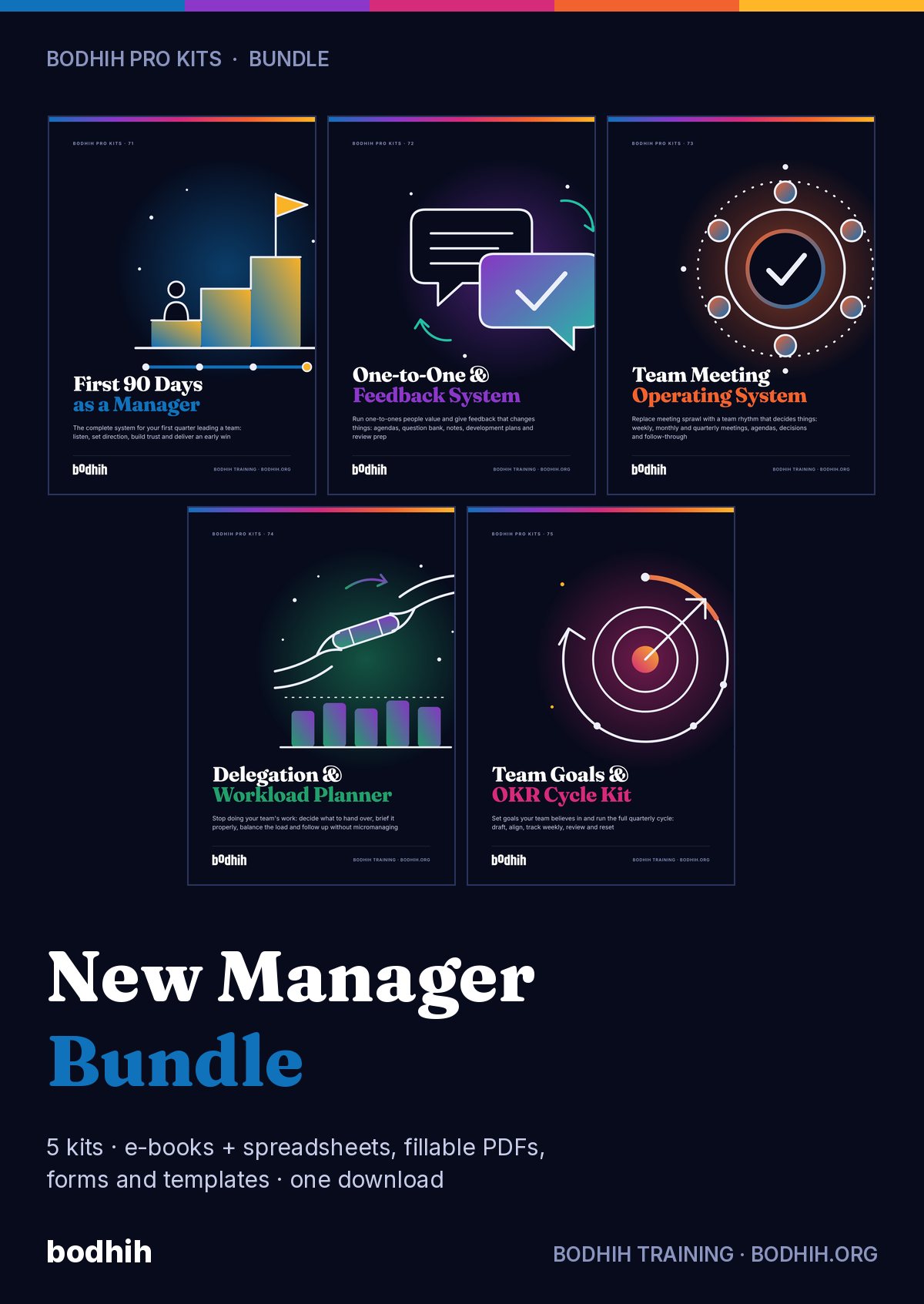
New Manager, Day One (e-book)
The companion read for first-time managers.
Difficult Conversations Kit
Scripts and planners for the hard conversations.
AssessAll
250+ AI-graded assessments to measure skills and earn verified credentials.
Jobulary
Individual development plans that start from evidence and stay yours.
Bodhih Training
Run this topic as a live workshop for your team, in person or online.
Pewple
Book a vetted coach for career, leadership or communication. Pay per session.
Bodhih.org pathways
Certification pathways in Applied AI, Workplace English and management.
The Team Meeting Operating System: FAQs
Read the free guideAlready bought? Resend my linkWhat exactly is in the kit?
A 10-chapter e-book and 20 tool files: a Start Here map, two spreadsheets, five fillable PDF forms, six Word files, four cheat sheets, a calendar file and a CSV import file. Every step of the job, from the first audit to the quarterly retrospective, has a file.
How do I run an effective weekly team meeting?
Give it one job: clear overdue actions and decide this week's issues. Send an agenda of timed questions a day ahead, move status updates into writing, open with the purpose and close by reading back every decision and action. The weekly agenda and notes form in the kit follows that sequence.
What meetings does a team actually need?
Most teams of five to fifteen can run on four: a 10 to 15-minute daily huddle, a weekly tactical, a monthly review and a quarterly planning session. Decision meetings, problem-solving sessions and retrospectives are called only when needed. Chapter 2 shows how to adapt this to shift work, project work and specialist teams.
How do I work out what our meetings cost?
Multiply times per year by minutes by attendees and divide by 60 to get person-hours, then multiply by an average hourly cost. The Meeting Inventory sheet does this for every meeting and totals it; the Meeting Cost Calculator does it for one meeting in under a minute.
Does it work in Google Sheets and Google Docs?
Yes. The workbooks open in Excel and Google Sheets, the Word files in Word and Google Docs, and the forms in any PDF reader that supports fillable fields. After importing a workbook into Google Sheets, check that the charts have carried over.
I am not the boss of the whole company. Can I still use this?
Yes. The kit is written for the manager of one team. It covers how to brief your own manager, how to tell neighbouring teams, and how to respond to other people's invitations, without needing anyone to change company-wide policy.
How can I measure my starting point as a meeting leader?
Two AssessAll assessments fit this kit: Meetings That Decide Things, which tests your judgement in realistic meeting situations, and Time, Priorities and Focus. If you facilitate larger groups, the Training Facilitation and Group Handling Assessment for Trainers and Facilitators is also relevant. They are separate products on assessall.com.
How do I turn this into a habit and a development plan?
Chapter 10 uses if-then plans to anchor each new meeting habit to a cue. Jobulary's article on implementation intentions at work explains the technique further, and you can use it to build a personal development plan around chairing, facilitation and decision-making.
Is this legal or HR advice?
No. It is practical management education. Rules on formal minutes, recording meetings, employee consultation and working time differ by country and employer, so check your HR team, company policy and local law where those apply.
Can I use the files with my team, and what is the refund policy?
The licence covers your own use and use with your own team. Digital kits are non-refundable once downloaded, except for corrupted files not fixed within 3 working days, duplicate charges or failed delivery. For several managers or a whole company, ask about team licences at solutions@bodhih.com.
How much does The Team Meeting Operating System cost?
₹999 including 18% GST for buyers in India, or $29 for buyers outside India. One-time payment, no subscription, with an automatic invoice.
How do I get the files after paying?
Instantly. Your download page opens the moment payment succeeds, and a permanent download link is emailed to you. Download each file separately or everything in one ZIP.
What software do I need?
Any of the usual tools: Excel or Google Sheets for spreadsheets, Word or Google Docs for templates, Adobe Acrobat Reader, Preview, Xodo or GoodNotes for the fillable PDFs, and Google, Outlook or Apple Calendar for the calendar plan.
Can I get a refund?
Because it is a digital download, kits are not refundable once downloaded. We always refund a duplicate charge or a failed delivery, and if a file is corrupted and we cannot fix it within 3 working days. Full terms: bodhih.org/refunds.
Can my company buy this for a team?
Yes. Team and company licences, and workshops on this topic run by Bodhih Training, are available. Write to solutions@bodhih.com or call +91 99000 11601.