Run any project with confidence, even if nobody ever trained you
The Project Playbook for Everyone gives team leads and professionals who suddenly own a project a simple six-step method, a ready-built project tracker and every template you need to plan, track and deliver without a PMP.
- A 10,000-word e-book built around six questions every project must answer, with worked examples from real-world style projects
- An Excel and Google Sheets Project Tracker: tasks with live flags, automatic timeline, RACI checker, risk, issue, change and budget logs, three dashboards
- Fillable PDF charter with kick-off checklist, stakeholder and communication plan, and lessons learned review
- Word templates for weekly status, change requests and closure, plus 24 scripts, two quick-reference sheets and a 30-day calendar
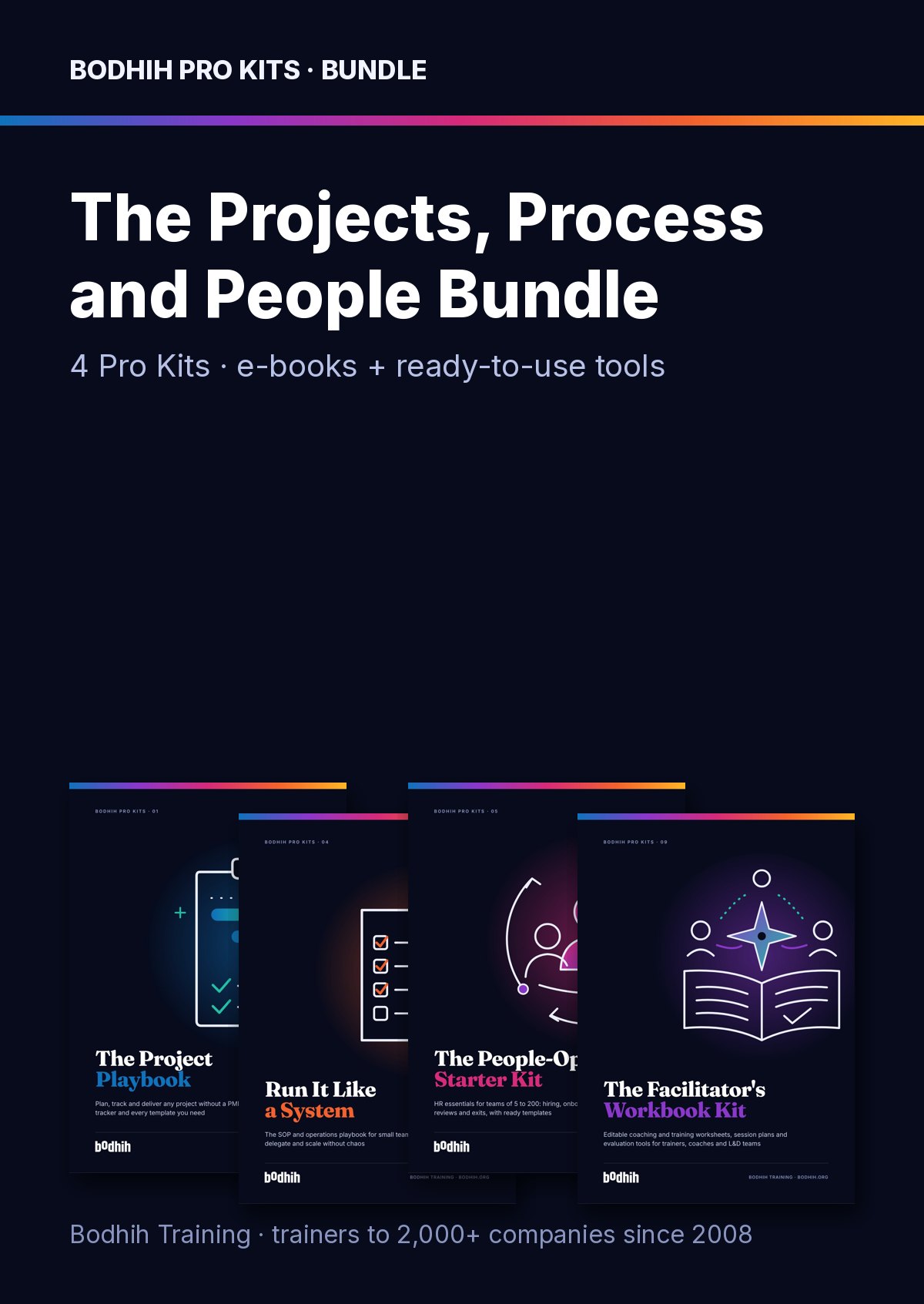
The Project Playbook for Everyone · Bodhih Pro Kits · 01 by Bodhih Training, trainers to 2,000+ companies since 2008.
How do I manage a project if I'm not a project manager?
Answer six questions in order: why, what, who, how, what could go wrong, and how you will finish. Write a one-page charter, fence the scope, agree one accountable owner per deliverable, plan tasks with owners and dates, then run a weekly rhythm. The Project Playbook for Everyone from Bodhih Training gives you the method and every tool.
Want the full free guide first? Read How to Manage a Project With No Experience: A Step-by-Step Guide.
You already feel the problem. Here is what it is costing you.
Busy but invisible
You are working evenings, having endless conversations, and still cannot say what you have achieved. The work feels like pushing fog, and your boss cannot see progress either.
Scope that keeps growing
Every request is reasonable on its own. Together they become a different project, with the same deadline and budget. You end up late and nobody can say exactly why.
People who were never asked
The project stumbles not on content but on a senior stakeholder who was never briefed, or two people who both thought they owned the same decision.
Status updates nobody reads
Long reports get skipped, 'all good' reports hide problems, and by the time something turns red it is too late for anyone to help.
Picture the next few weeks with the kit open beside you.
Imagine Monday morning. Instead of opening your inbox with that low hum of dread, you open the Project Tracker, update a few statuses and glance at the dashboard. Overdue, blocked, due this week, open high risks: the picture is clear in twenty minutes, and you walk into your check-in knowing exactly which two problems deserve the half hour.
As you fill in the charter this week, you will notice something: the disagreements that would have surfaced in week seven appear on day three, when they are cheap to fix. Your sponsor sees a single page, says 'yes, that's right' or 'actually, the Sales inbox is in', and you start planning the right project.
Picture the moment a senior colleague asks for 'just one small addition'. You hear yourself say, calmly, 'Great idea. Let me show you what it would take and Sarah can decide.' The change log does the arguing for you, and the date holds.
And imagine Friday afternoon. You send an eight-line status report: amber, one sentence why, what is done, what is next, one decision needed by Tuesday. Your sponsor approves it from her phone. Whether you start with the charter tonight or set up the tracker tomorrow morning, you will feel the difference within a week.
13 files that do the work for you
The e-book shows you how. The tools make it happen. Here is exactly what you download.
The Project Playbook for Everyone (e-book, PDF)
The guide: methods, worked examples, scripts and exercises
Project Tracker workbook
Tasks with live flags, an automatic week-by-week timeline, milestones, RACI checker, risk, issue, change, decision and budget logs, plus three dashboards.
Project Charter and Kick-off Checklist
A fillable one-page charter (purpose, objectives, scope fence, milestones, budget, roles, assumptions, sign-off) plus a kick-off checklist and agenda.
Stakeholder and Communication Plan
Map stakeholders by influence and interest, record what success and worry look like for each, and turn it into a who-hears-what-when communication plan.
Lessons Learned Review
A facilitator's form for a blame-free 60 to 90 minute review: preparation, ground rules, the five core questions and a lessons-to-actions table.
Weekly Status Report
A one-page Friday report: RAG status in one sentence, done, next, milestones, top risks and the decision you need. Sample text in brackets.
Change Request
Capture, assess and decide any change to scope, dates, budget or quality, with options and a recommendation, so the decision is on paper.
Project Closure Report
A two to three page report covering what was delivered versus planned, cost, benefits still to measure, handover, lessons and thanks.
Project Conversations Script Library
24 word-for-word scripts for the awkward moments: chasing late work, scope creep, senior change requests, reporting red, escalation and closing.
The One-Page Project Method
The whole method on one printable page: six questions, the tool for each, the weekly rhythm and the seven non-negotiables.
Project Meetings and Estimating Quick Guide
Ready agendas for kick-off, weekly check-in, go/no-go, retrospective and lessons review, plus estimating, RAG and risk-response cheat sheets.
30-day 'first project' calendar
22 short workday sessions that take you from 'you own this now' to a running project with charter, plan, RACI, risk log and weekly rhythm.
Project task starter list (CSV)
32 standard project tasks across five phases with typical owners, durations and dependencies, ready to import into Excel, Planner, Trello, Asana or Jira.
Chapter by chapter
Each chapter opens with a real situation, gives you a method and ends with something to do today, using the tools in your kit.
- Format
- PDF e-book + XLSX + fillable PDF + DOCX + PDF quick guides + ICS + CSV
- Files
- 13 files plus a one-click ZIP
- E-book
- 62 pages
- Works with
- Excel, Google Sheets, Word, Google Docs, Acrobat, GoodNotes, Google/Outlook/Apple Calendar
- Best for
- Team leads and professionals running projects of 4 weeks to 6 months
So You've Been Handed a Project
Why projects feel hard for non-PMs and how this playbook's six questions give you a method light enough to run alongside your day job.
What Makes Something a Project (and Why It Feels Hard)
The difference between projects and operations, the scope-time-resources trade-off and the two biases that wreck first plans.
The Charter: One Page That Saves Ten Meetings
How to write a one-page charter that surfaces disagreement early, and use it to run a 60-minute kick-off.
Scope: Drawing the Fence
Draw a scope fence with In, Out and Later zones, sort wants with MoSCoW and agree acceptance criteria.
People: Stakeholders, Sponsors and the RACI
Map stakeholders by influence and interest, secure a real sponsor and build a RACI with exactly one Accountable person.
The Plan: From Big Goal to Dated Tasks
Turn deliverables into a dated plan with a work breakdown structure, honest estimates, dependencies, milestones and buffer.
Plan-Driven, Agile or Hybrid: Picking a Way of Working
Plan-driven, agile and hybrid explained in plain words, with four questions to pick the right approach.
Risks and Issues: Worrying on Purpose
Write risks as 'If... then...', score them by likelihood times impact, run a pre-mortem and escalate issues well.
Running the Week: Tracking, Meetings and Status Reports
The 90-minute weekly rhythm: honest tracking, a blocker-focused check-in, clear RAG status and a Friday report sponsors actually read.
Change Control: Saying Yes With a Price Tag
A light four-step change process and the words for saying yes with a price tag, even to senior people.
Closing Well: Handover and Lessons Learned
Close properly with acceptance, handover, a blame-free lessons review and a short closure report.
Your Second Project Will Be Easier
Why project skills compound and what to do this week.
The One-Page Project Method
The whole method on one page, with the minimum viable checklist and the kit tool for each step.
Not just reading. Tools you will actually open again.
E-book
- The Project Playbook for Everyone: 10 chapters, worked examples, scripts, AI prompts, checklists and six sketch-style diagrams (PDF)
Spreadsheets
- Project Tracker workbook: tasks with Overdue/Due-this-week flags, self-drawing weekly timeline, milestones with slip tracking, RACI checker, risk log with likelihood x impact scoring, issue, change, decision and budget logs, plus Dashboard, Risk view and Workload dashboards
- Project task starter list (CSV): 32 standard tasks across five phases, ready to import into Excel, Planner, Trello, Asana or Jira
Fillable PDF forms
- Project Charter and Kick-off Checklist (4 pages)
- Stakeholder and Communication Plan (2 pages)
- Lessons Learned Review (3 pages)
Word templates
- Weekly Status Report with sample wording
- Change Request with impact assessment and options
- Project Closure Report
- Project Conversations Script Library: 24 word-for-word scripts
Quick references and calendar
- The One-Page Project Method cheat sheet
- Project Meetings and Estimating Quick Guide: five agendas, estimating, RAG and risk responses
- 30-day 'first project' calendar (ICS) for Google, Outlook or Apple Calendar
When you have worked through it, you will be able to…
Every outcome is practised with a worked example and a tool, not just described.
- You will be able to write a one-page charter your sponsor confirms in fifteen minutes
- You will be able to draw a clear scope fence and handle 'while you're at it' requests without conflict
- You will be able to build a RACI with exactly one accountable person per deliverable
- You will be able to turn a big goal into a dated plan with honest estimates, milestones and buffer
- You will be able to choose plan-driven, agile or hybrid ways of working and explain why
- You will be able to keep a scored risk log and escalate issues with options and a recommendation
- You will be able to run a 30-minute check-in and send a status report sponsors act on
- You will be able to close a project properly and turn lessons into actions
Know your starting point. Prove your progress.
People who measure before and after improve faster and can show it. AssessAll, our sister assessment platform, has AI-graded assessments that pair with this kit. Take one now, work through the kit, then re-take it.
A taste of Chapter 3
Maria manages facilities for a mid-sized firm in Manila. She is asked to "sort out the office move". The new floor is two blocks away. The lease ends in eleven weeks. Simple, she thinks: furniture, IT, boxes, done. By week five she has been asked to choose new chairs (the old ones are "embarrassing"), redesign the room booking system ("since we're moving anyway"), set up a parents' room and organise a party. Each request is reasonable. Together they are a different project. This is scope creep: the slow, friendly expansion of a project, one sensible request at a time. It rarely arrives as a demand. It arrives as "while you're at it". Think of scope as a fence around a field. Inside is everything the project will deliver; outside is everything it will not. The fence does not stop people wanting things outside it.
The honest comparison
| Free templates and typical advice | This kit | |
|---|---|---|
| Method | Long certification syllabus or scattered blog tips | Six questions and a light method sized for real jobs |
| Tracker | Blank task list with no formulas | Live flags, self-drawing timeline, RACI checker, scored risks and three dashboards |
| Sample data | Empty templates you have to guess how to fill | A complete worked sample project so you see every tool in use |
| Hard conversations | 'Communicate clearly' | 24 exact scripts for scope creep, late tasks, red status and escalation |
| Agile vs waterfall | Jargon and strongly worded arguments | Plain-English comparison and four questions to choose |
| Getting started | Read it and hope | A 30-day calendar plan that sets everything up step by step |
Made for you if…
- Team leads and managers who have just been handed a project on top of the day job
- Specialists in HR, finance, marketing, IT, operations or sales running cross-functional work
- New or 'accidental' project coordinators who want a practical method before any certification
- Small business owners juggling launches, moves and system changes
- Trainers and coaches who want ready-made templates to use with their own teams
- Anyone who wants to be the person trusted with important work
Probably not for you if…
- Experienced project managers looking for advanced PMP or PRINCE2 exam preparation
- Programme leaders needing enterprise portfolio software or earned value methods
Built by trainers, tested in real rooms.
Bodhih Training has designed and delivered corporate programmes since 2008. Bodhih Pro Kits package what works in those workshops into a guide plus the exact tools we use, so you can apply it the same day without a facilitator in the room.
From here to using it in three steps
- STEP 1
Tap Get the kit
Name, email and country. UPI, card or netbanking in India; international cards everywhere else. No account to create.
- STEP 2
Download instantly
Your download page opens at once, with every file and a one-click ZIP. A permanent link lands in your inbox too.
- STEP 3
Open the first tool
Start with the quick-start chapter, then the main spreadsheet or planner. Most buyers use something from the kit the same day.
Your next project can feel calm, clear and under control
Download the kit, open the charter and answer the first question tonight: why does this project exist? Whether you start with the 30-day calendar or go straight to the tracker, you will walk into Monday knowing exactly what to do first.
Personal licence for the buyer's own use (and use with your own team or clients where the kit says so). Please don't share or resell the files. Team and company licences: solutions@bodhih.com.
What buyers say
No ratings yet. Only people who have bought this kit can rate it - every buyer gets a one-click rating link a couple of days after their purchase.
The Bodhih family, when you are ready for more
Trainer Toolkits
Ready-to-deliver workshops for trainers and L&D teams.
Corporate AI training
AI upskilling programmes for whole teams.
AssessAll
250+ AI-graded assessments to measure skills and earn verified credentials.
Jobulary
Individual development plans that start from evidence and stay yours.
Bodhih Training
Run this topic as a live workshop for your team, in person or online.
Pewple
Book a vetted coach for career, leadership or communication. Pay per session.
Bodhih.org pathways
Certification pathways in Applied AI, Workplace English and management.
The Project Playbook for Everyone: FAQs
Read the free guideAlready bought? Resend my linkDo I need project management experience or software to use this kit?
No. It is written for people who have never been trained in project management. Everything runs in Excel or Google Sheets, Word or Google Docs and any PDF reader that lets you type into forms.
How do I manage a project with no experience?
Start with a one-page charter that names the purpose, success measures and sponsor. Then draw the scope, agree roles with a RACI, break the work into tasks with owners and dates, and run a weekly rhythm of tracker update, short check-in and Friday status report. The e-book walks you through each step with examples.
What is a RACI chart and why does it need exactly one A?
A RACI chart shows who is Responsible, Accountable, Consulted and Informed for each activity. If two people are accountable, each assumes the other will sign off; if nobody is, the work drifts. The RACI sheet in the tracker flags any row that breaks the rule.
Should I use agile or waterfall for my project?
Use plan-driven (waterfall) when the outcome is clear and late change is expensive, and agile when needs will emerge and change is cheap. Most real projects are hybrids: fixed milestones outside, short review cycles inside. Chapter 6 gives four questions to decide.
How do I calculate a risk score?
Rate likelihood and impact from 1 to 5 and multiply them. In the tracker, 15 to 25 is High, 8 to 14 Medium and below 8 Low, all calculated automatically, with flags when a review is overdue.
Will the tracker work in Google Sheets?
Yes. The formulas avoid macros and newer dynamic-array functions so they work in Excel 2016 or later, Excel for the web and Google Sheets. Import the file into Sheets and choose to replace the spreadsheet.
How can I measure my starting point in project skills?
Measure your starting point with Bodhih's partner platform AssessAll, which offers the Project & Delivery Leadership, Task Prioritisation & Planning, and Meetings That Decide Things assessments. They give you an honest baseline before you start and a way to see progress after your first project.
How do I turn what I learn into a development plan?
Jobulary helps you turn project skills into a measured individual development plan, starting from assessment evidence. Pair it with the lessons you capture in the Lessons Learned Review and you have a clear record of growth.
Can I use the templates with my team or clients?
Yes, you can use the templates with your own team or clients in the course of your work. Please do not share or resell the files themselves. For team or company licences, contact solutions@bodhih.com.
What is your refund policy?
Because these are digital files, kits are non-refundable once downloaded. We will help if a file is corrupted and not fixed within 3 working days, if you were charged twice, or if delivery failed.
How much does The Project Playbook for Everyone cost?
₹799 including 18% GST for buyers in India, or $24 for buyers outside India. One-time payment, no subscription, with an automatic invoice.
How do I get the files after paying?
Instantly. Your download page opens the moment payment succeeds, and a permanent download link is emailed to you. Download each file separately or everything in one ZIP.
What software do I need?
Any of the usual tools: Excel or Google Sheets for spreadsheets, Word or Google Docs for templates, Adobe Acrobat Reader, Preview, Xodo or GoodNotes for the fillable PDFs, and Google, Outlook or Apple Calendar for the calendar plan.
Can I get a refund?
Because it is a digital download, kits are not refundable once downloaded. We always refund a duplicate charge or a failed delivery, and if a file is corrupted and we cannot fix it within 3 working days. Full terms: bodhih.org/refunds.
Can my company buy this for a team?
Yes. Team and company licences, and workshops on this topic run by Bodhih Training, are available. Write to solutions@bodhih.com or call +91 99000 11601.